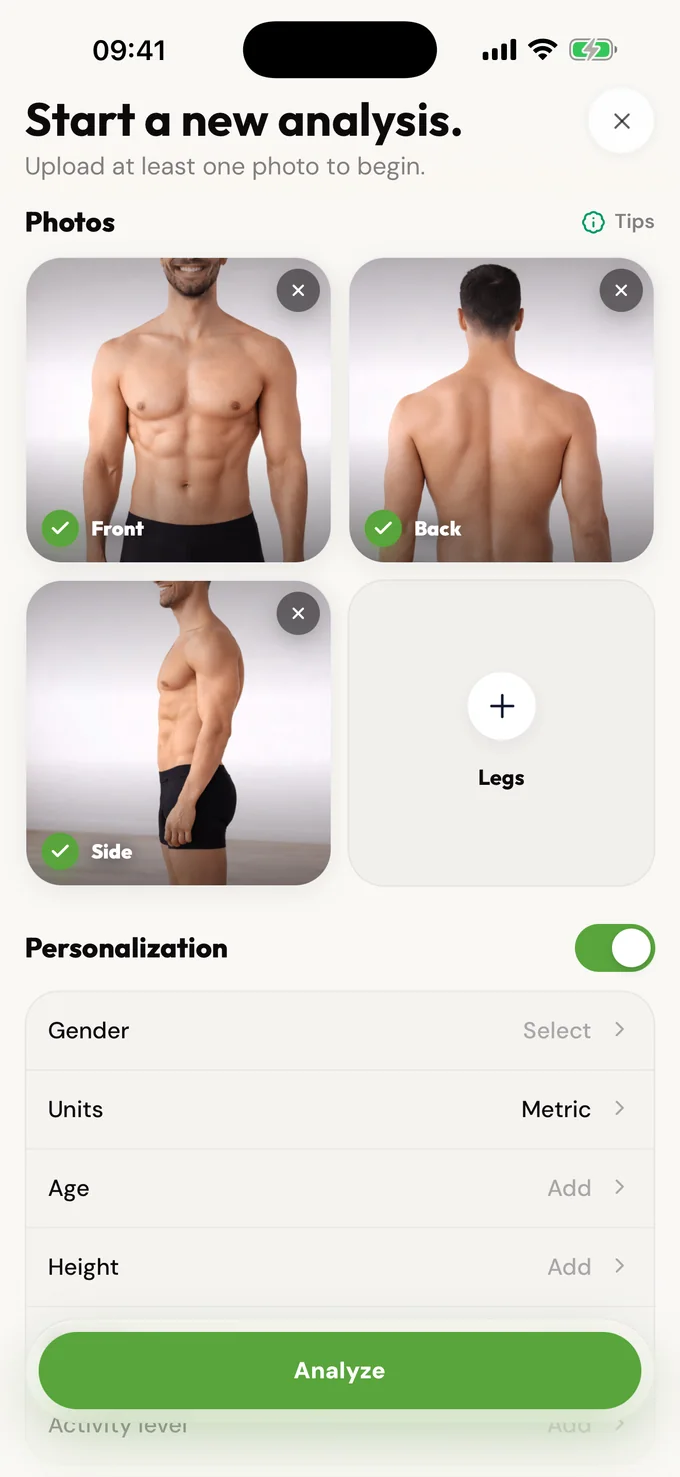
Upload one to four photos; a front photo works alone and more angles improve context
Upload one to four photos; a front photo works alone and more angles improve context
From a Photo
Skip the tape measure and formulas. Upload a photo and get a confidence-aware body fat percentage range in under 30 seconds.
Free scanPrivate by designResults in seconds.
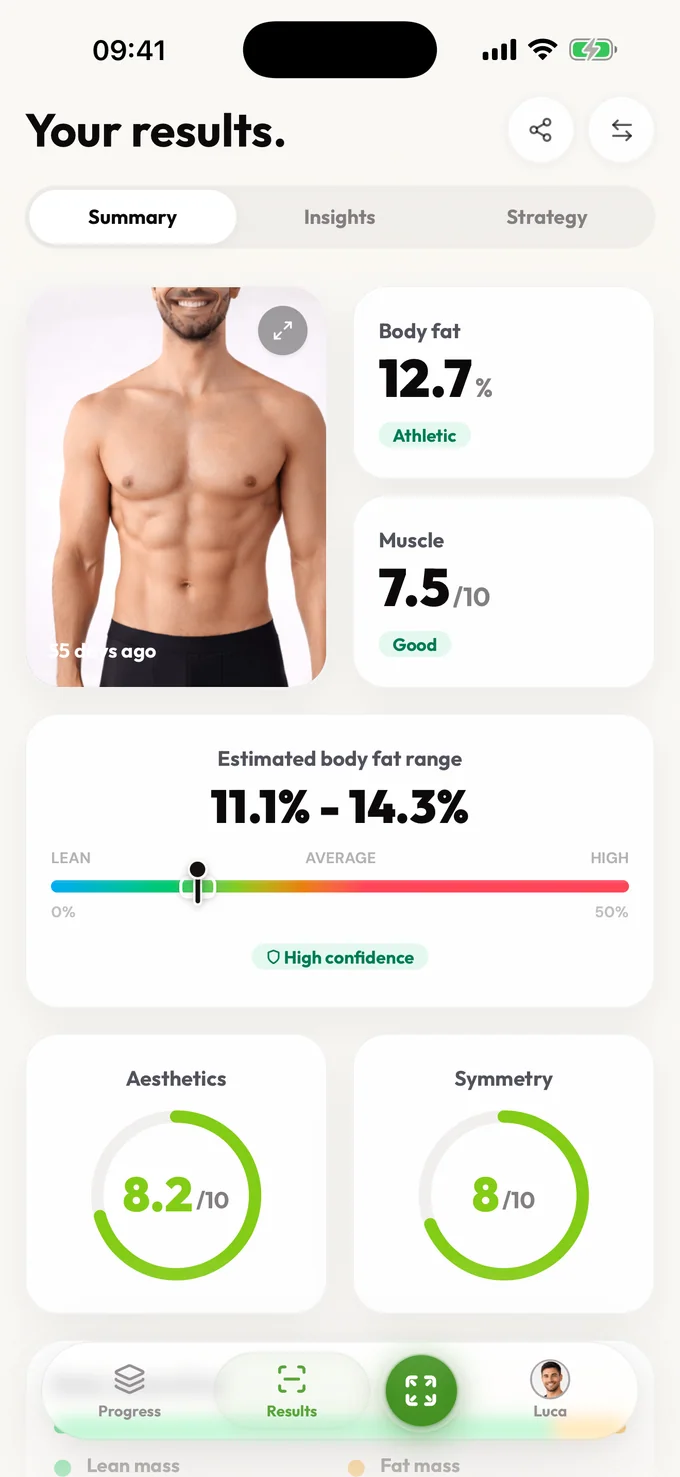
No tape measure. No fake exact percentage.
Coming soon to Android
Android is next. Join the waitlist and we'll email you the moment it's ready on Google Play.
Skip the tape measure and formulas. Upload a photo and get a confidence-aware body fat percentage range in under 30 seconds.
Calculate from a photoSkip the tape measure and formulas. Upload a photo and get a confidence-aware body fat percentage range in under 30 seconds.
Upload one to four photos; a front photo works alone and more angles improve context
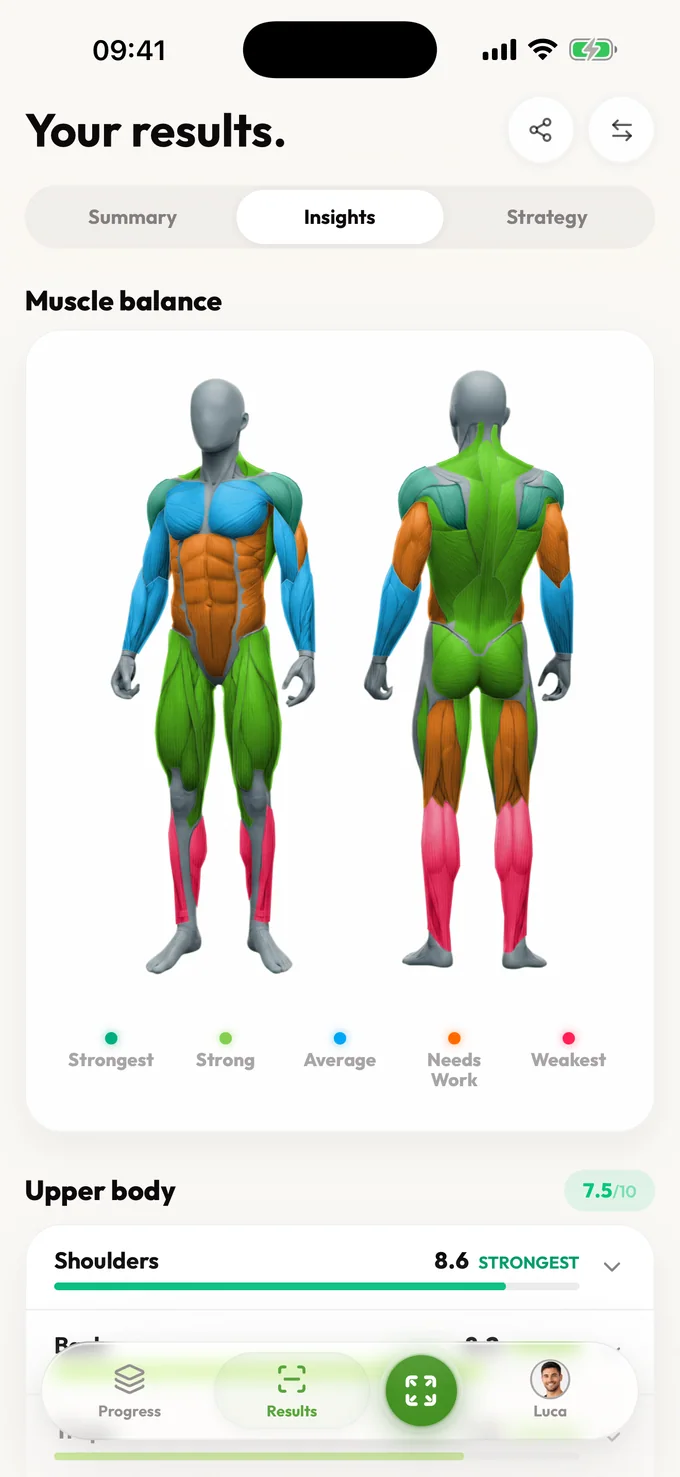
The AI evaluates muscle definition, fat distribution, and proportions
You get a confidence-aware body fat range, not a fake single digit
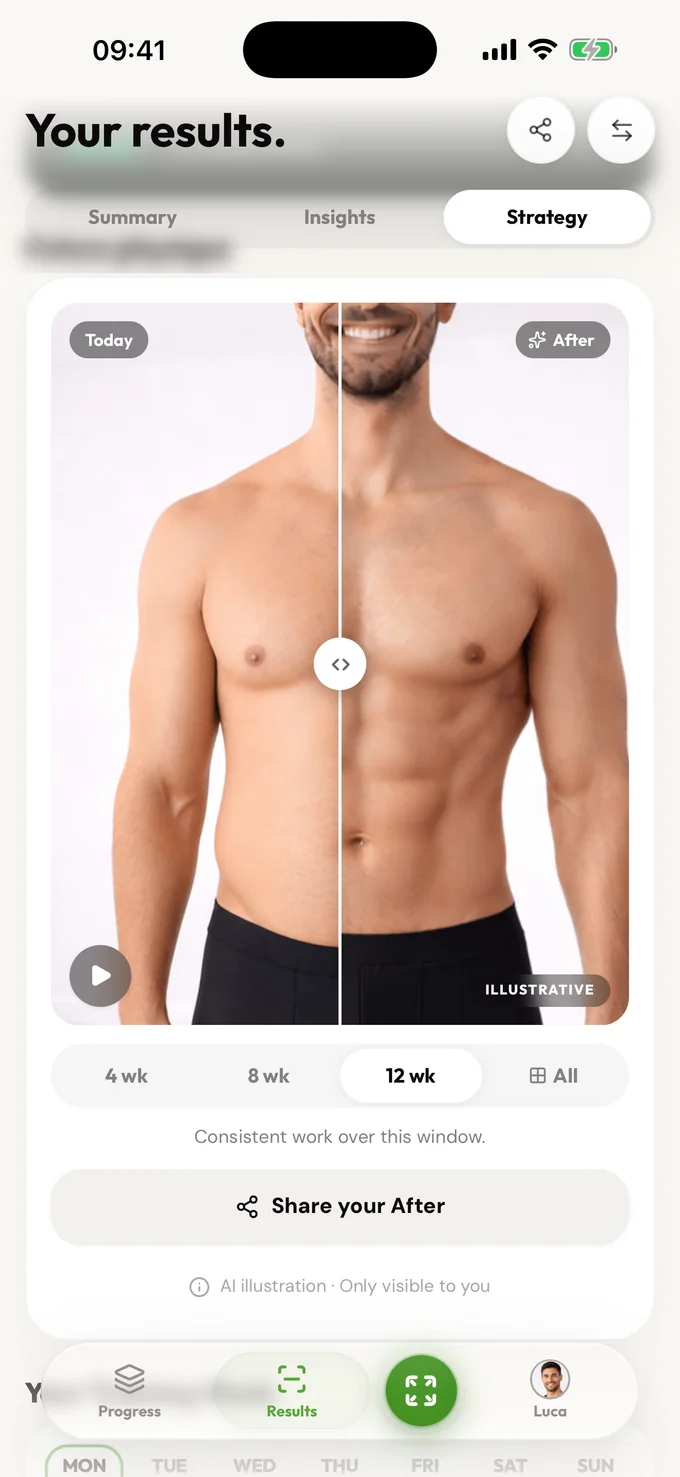
Results include context about what the range means and what to focus on next
An AI body fat calculator from a photo can estimate a directional range without tape measurements or calipers. LeanLens accepts one to four photos, works best when photos are consistent, and returns a body fat range with confidence context for trend tracking rather than clinical precision.
Upload one to four photos; a front photo works alone and more angles improve context
The AI evaluates muscle definition, fat distribution, and proportions
You get a confidence-aware body fat range, not a fake single digit
Traditional body fat calculators ask for waist, hip, and neck measurements. Navy method, Jackson-Pollock, and BMI-based formulas all require manual inputs that are easy to get wrong. LeanLens uses AI to analyze your photo directly, then returns a range with context. It is best treated as a directional estimate for trend tracking, not a clinical measurement. Use consistent lighting, pose, distance, and clothing between sessions, then compare trends over several weeks instead of reacting to one result. In a photo body fat calculator, the input is the uploaded image, not a waist measurement; keep a separate tape-measure record if you want an independent circumference trend.
Skip the tape measure and formulas. Upload a photo and get a confidence-aware body fat percentage range in under 30 seconds.
Upload one to four photos; a front photo works alone and more angles improve context
The AI evaluates muscle definition, fat distribution, and proportions
You get a confidence-aware body fat range, not a fake single digit
Results include context about what the range means and what to focus on next
Compare
| Feature | Photo-based LeanLens | Navy method | Calipers |
|---|---|---|---|
| Inputs needed | 1-4 photos | Waist, neck, hip measurements | 3-7 skinfold sites |
| Equipment | Phone camera | Tape measure | Skinfold caliper |
| Time | Under 30 seconds | 2-5 minutes | 5-10 minutes |
| Precision style | Confidence-aware range | Formula estimate | Technique-dependent estimate |
| Repeatability | High with consistent setup | Moderate | Requires practice |
| Best for | Trend tracking | Quick baseline | Trained users |
Privacy and honesty aren't features we bolted on; they shape how the product works.
One purpose: creating your results. Your photos are shared only with the providers needed to create or store them. Guest scans auto-delete; sign in and you can delete your saved photos and results anytime.
Ranges over false precision. No body-shaming mechanics, ever. Results describe, they don't judge. And nothing about your body is used to pressure you.
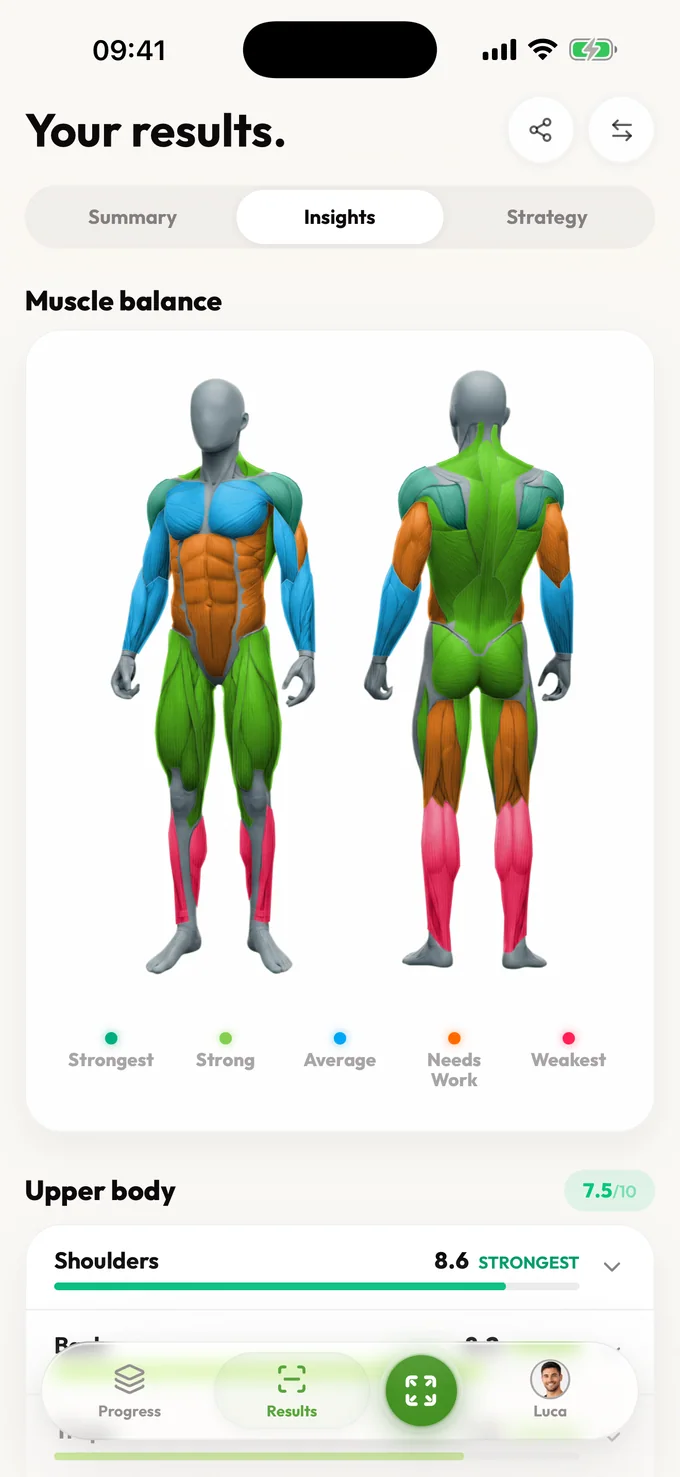
Free includes an estimated body-fat range, confidence, summary, visible scores, photo-quality guidance, core detail for every available Muscle Balance result, and a limited focus view. Pro unlocks muscle history, bilateral and training-plan detail, deeper trends, strategy, and comparisons.
Free accounts can scan again after a short wait. Pro removes the wait and unlocks full results, trends, and comparisons.
A photo body fat calculator uses visible definition and fat distribution in one to four photos: start with a relaxed front view, then add side or back views where available. A tape calculator uses entered circumferences and a formula. Neither directly measures fat tissue. Keep the same method for a trend; switching from a tape estimate to a photo estimate can create an apparent change without a real change in your body.
Photo-based calculators are best treated as directional estimates. They are most useful for tracking trends over time with consistent photo setups. In an illustrative result of 18–22%, the range is an estimate, not a guaranteed error bound; a later 17–21% range overlaps it and does not establish fat loss on its own.
No. LeanLens analyzes visual cues from your photo. You do not need a tape measure, calipers, or manual formula.
Yes. LeanLens includes a free starting workflow. No account is required to run your first analysis.
Coming soon to Android
Android is next. Join the waitlist and we'll email you the moment it's ready on Google Play.
Skip the tape measure and formulas. Upload a photo and get a confidence-aware body fat percentage range in under 30 seconds.
Scan free every week. Upgrade to Pro for full reports and no waiting.