Estimate Body Fat From a Photo

Yes, AI can estimate a body fat range from a photo, but it should be treated as directional fitness guidance rather than a clinical measurement. LeanLens works best when lighting, distance, pose, and angles stay consistent, then compares check-ins over time instead of pretending one photo gives perfect precision.

Upload a progress photo and get a confidence-aware body fat percentage range in under 30 seconds. Then use the guide below to make your next check-in more consistent.

Private by defaultNo account requiredPhotos not stored in the LeanLens database after processing
Estimate your body fat percentage

Upload a progress photo, get a confidence-aware range, then use this guide to improve your next check-in.

Photos are not stored in the LeanLens database after processing.

Start Free AI Analysis

This page gives you the setup and interpretation rules behind better photo-based estimates.

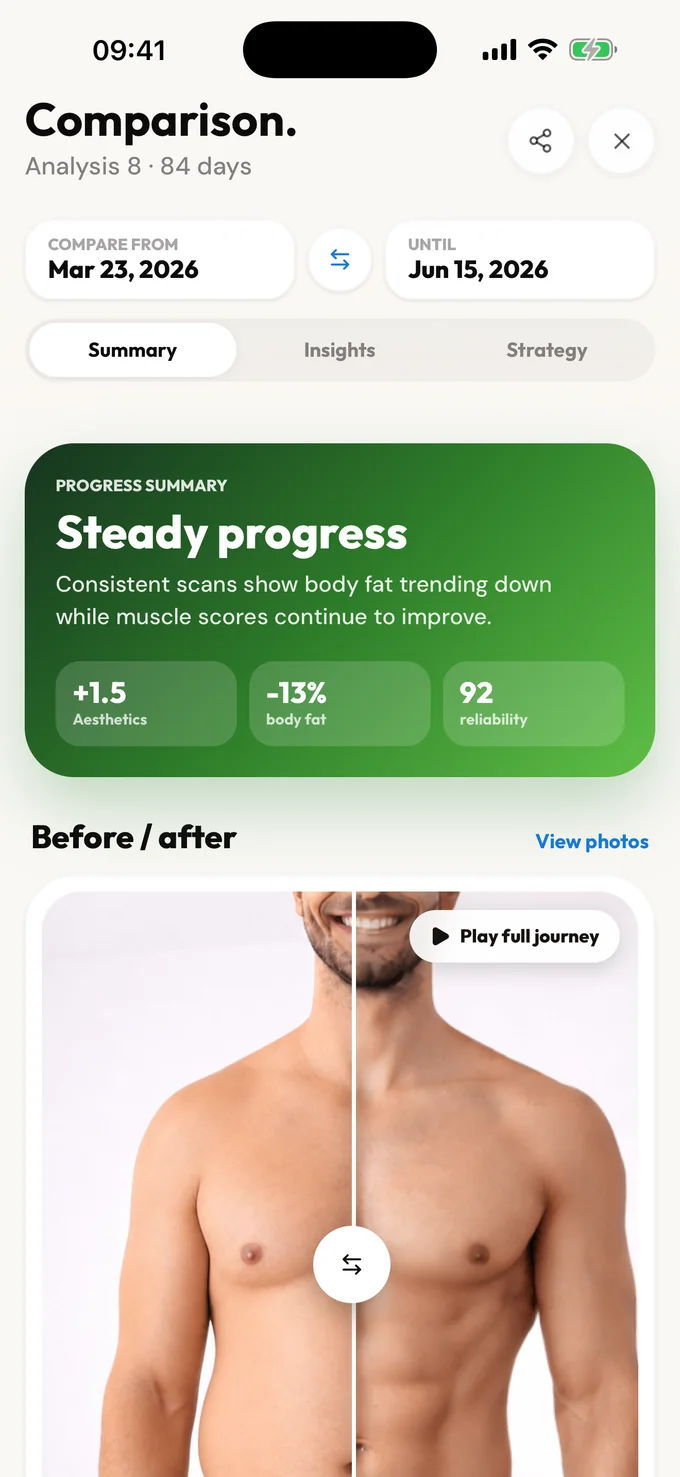
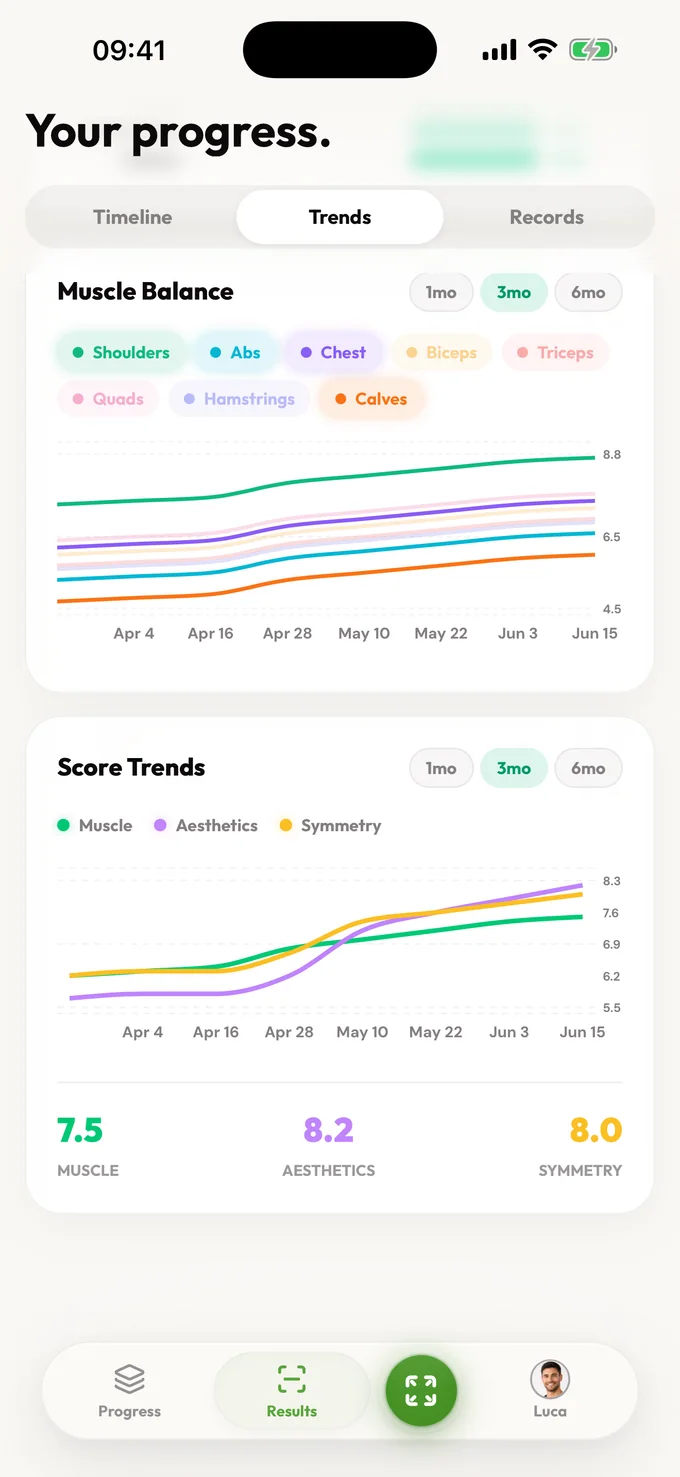
  • What a photo can tell you: trend direction, visible leanness change, and practical next-step signal.
  • What a photo cannot tell you: exact clinical body fat percentage or diagnosis-level precision.
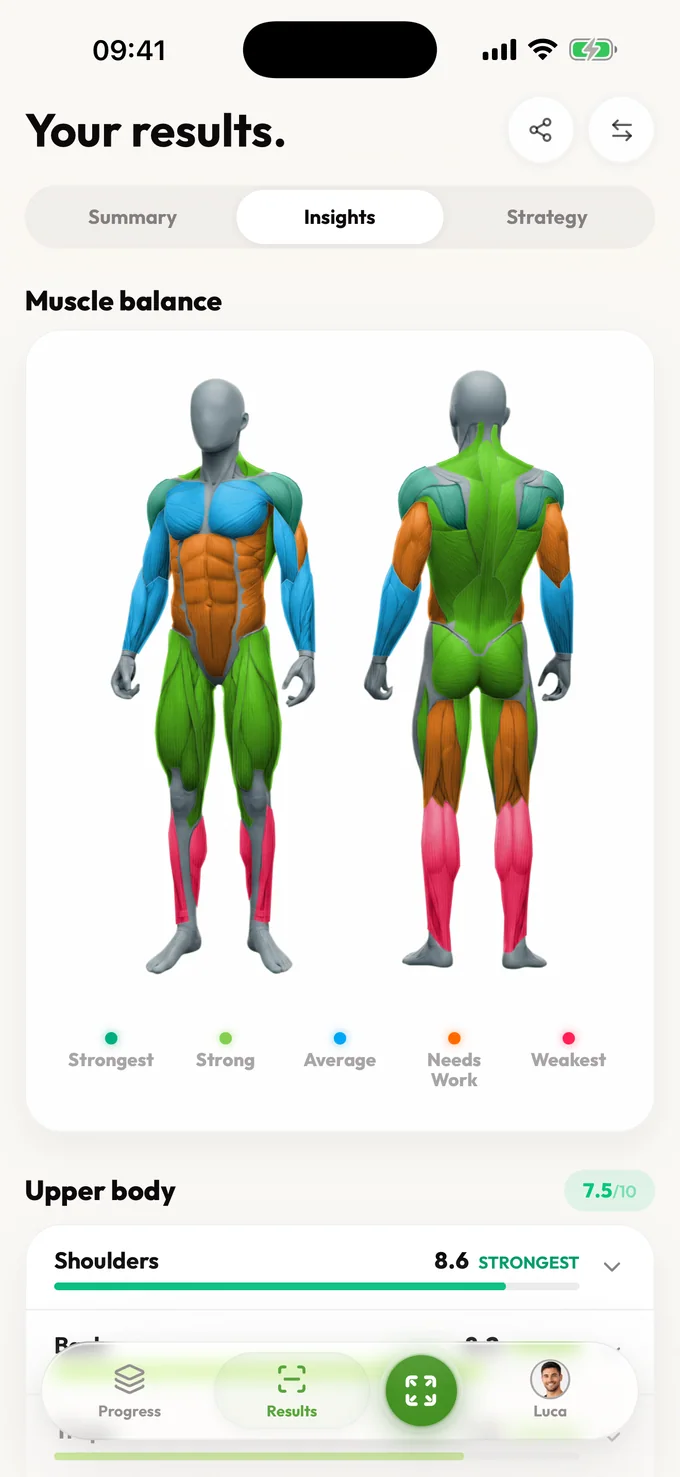
  • Why LeanLens shows a range: photo inputs have noise, so ranges are more honest and more actionable than single-point numbers.
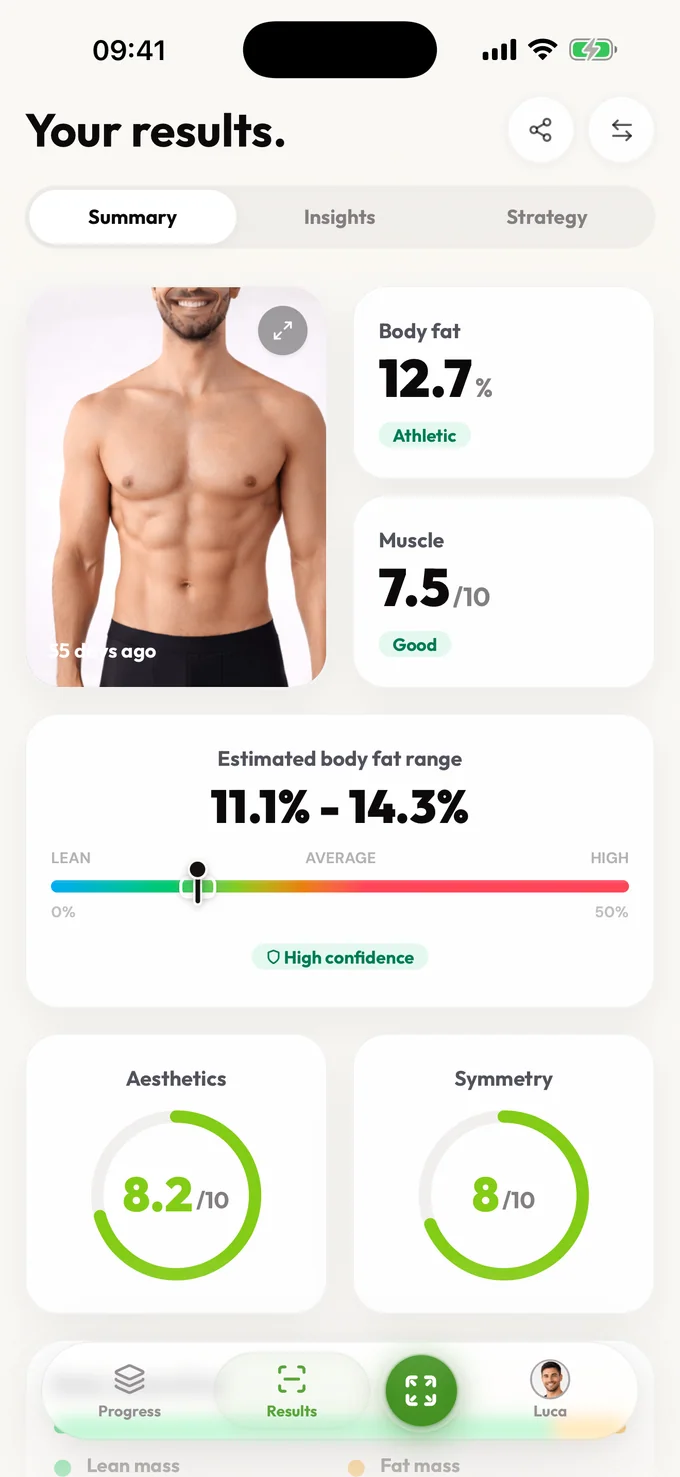
LeanLens results header with a body fat percentage range and confidence indicator.
1) Read the range

Focus on the range and confidence first. Treat this as direction, not a final verdict.

2) Compare setup quality

Compare only when lighting, angle, distance, and timing are similar across check-ins.

3) Pick one action

Make one weekly adjustment, then re-check. Avoid over-correcting from one noisy result.

Use these companion pages when you need deeper context:


What a photo can (and can’t) tell you

A photo is a snapshot of lighting + pose + angle + hydration + stress + sleep.

What it can do well:

  • Help you see trend direction over time (leaner, softer, fuller)
  • Catch obvious changes that are hard to notice day to day
  • Keep your check-ins consistent when the scale feels noisy

What it can’t do reliably:

  • Replace clinical methods (DEXA, BodPod, etc.)
  • Correct for inconsistent photos (different setup every check-in)
  • Explain all causes of visual change in isolation
A better goal than perfect accuracy

Aim for repeatable setup. If your photos are consistent, estimates become much more useful even though they are still estimates.


Why LeanLens uses a range + confidence

Single-point values can look precise even when input quality is mixed.

LeanLens intentionally uses:

  • A range so you don’t overreact to tiny shifts
  • A confidence cue so you can weigh the result appropriately
  • Next-step guidance tied to practical weekly decisions

Photo checklist (the 80/20)

  • Same lighting (ideally bright, indirect)
  • Same distance (tripod spot or floor mark)
  • Same camera height (roughly mid-torso)
  • Same time of day (morning is easiest to repeat)
  • Same pose (relaxed, not “peak flex”)

If you want the highest consistency, use front / side / back.

Front progress photo example Side progress photo example Back progress photo example


When should I use DEXA, BIA, calipers, or photos?

| Method | Best for | Main weakness | LeanLens role | | --------------- | --------------------------------------- | ---------------------------------------------- | ------------------------------------------------------------------------------ | | DEXA | Clinical-style body-composition context | Cost, access, and testing frequency | Use as an occasional reference point if you need higher precision | | BIA scale | Frequent home trend checks | Hydration, food, and timing can swing readings | Compare cautiously with photo trends | | Calipers | Skinfold tracking with a trained tester | Technique-sensitive and easy to mismeasure | Useful if your tester is consistent | | Progress photos | Visual trend and physique context | Lighting, pose, and angle can create noise | LeanLens turns consistent photos into a range, confidence cue, and next action |

The practical answer: use LeanLens when you need a fast, private check-in and trend direction. Use clinical methods when a health or medical decision depends on the number.


Limitations / not medical

Medical disclaimer

LeanLens outputs are informational estimates and are not medical diagnosis or treatment advice. For clinical precision, use professional methods and consult a healthcare professional.


FAQ

Can I estimate body fat from one photo?

Yes, one clear photo can give a useful body fat range, but it should be treated as a directional estimate. Consistent lighting, distance, pose, and timing make the result more reliable.

Do I need an account to estimate body fat from a photo?

No. You can start a free LeanLens analysis without creating an account. An account is only needed if you want to save snapshots and track progress over time.

How accurate is body fat from a photo?

Photo-based estimates are not clinical measurements. They are most useful for tracking trends when your photo setup is repeatable, not for claiming a perfect single-number body fat percentage.

What photo setup works best?

Use bright even lighting, similar camera distance, a consistent camera height, the same time of day, and a relaxed pose. Front, side, and back photos usually add better context than one noisy angle.

Why does LeanLens show a range instead of one exact number?

A single number can look precise even when photo inputs are noisy. A range with confidence context is more honest and easier to use for weekly decisions.


Related routes

Try LeanLens on your next check-in

Get a confidence-aware range and practical next steps from a single photo.

Photos are not stored in the LeanLens database after processing.

Start Free AI Analysis