How the scanner works
A body fat range with confidence context, not a fake single number
Scan Your Physique From a Photo
Upload a quick photo and get practical physique insights: body fat range, muscle balance, symmetry, and a next step you can use this week.
Free scanPrivate by designResults in seconds.
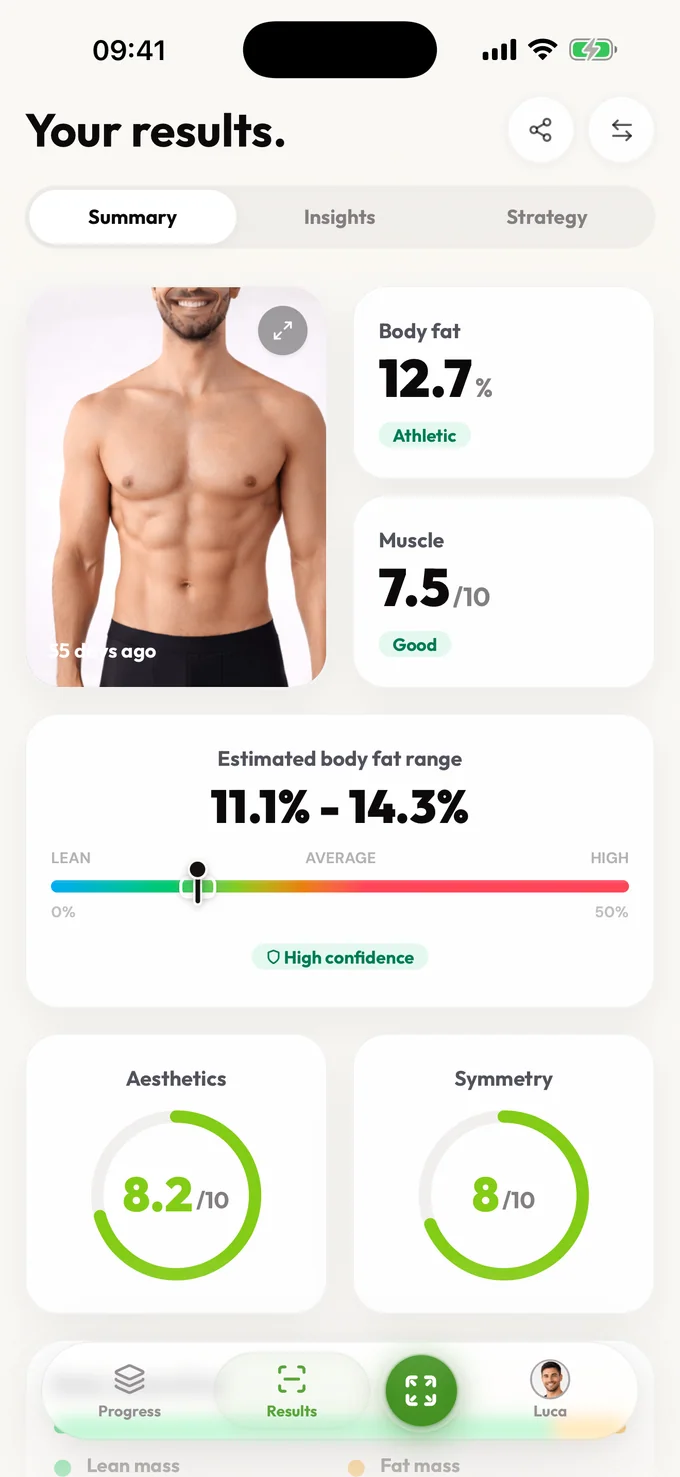
A clear read on your physique, without fake precision.
Coming soon to Android
Android is next. Join the waitlist and we'll email you the moment it's ready on Google Play.
Upload a quick photo and get practical physique insights: body fat range, muscle balance, symmetry, and a next step you can use this week.
Scan my physiqueUpload a quick photo and get practical physique insights: body fat range, muscle balance, symmetry, and a next step you can use this week.
A body fat range with confidence context, not a fake single number
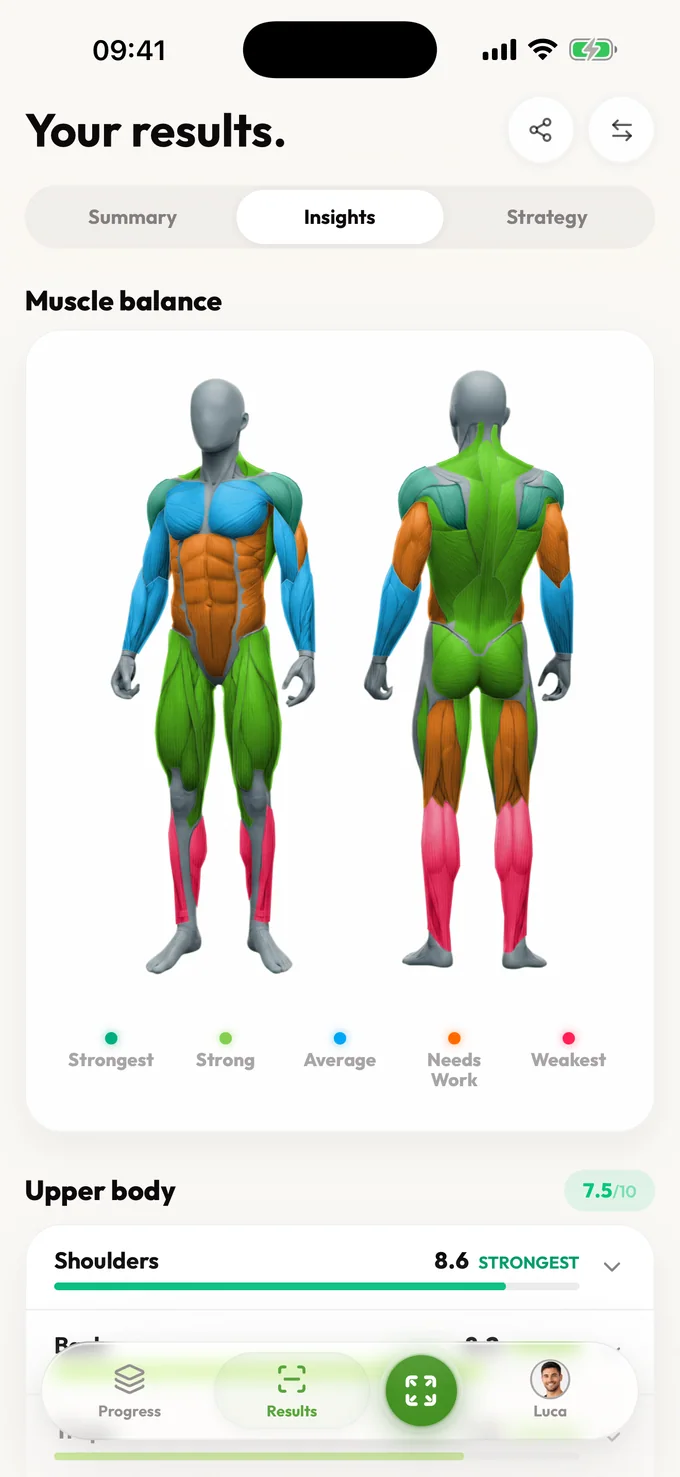
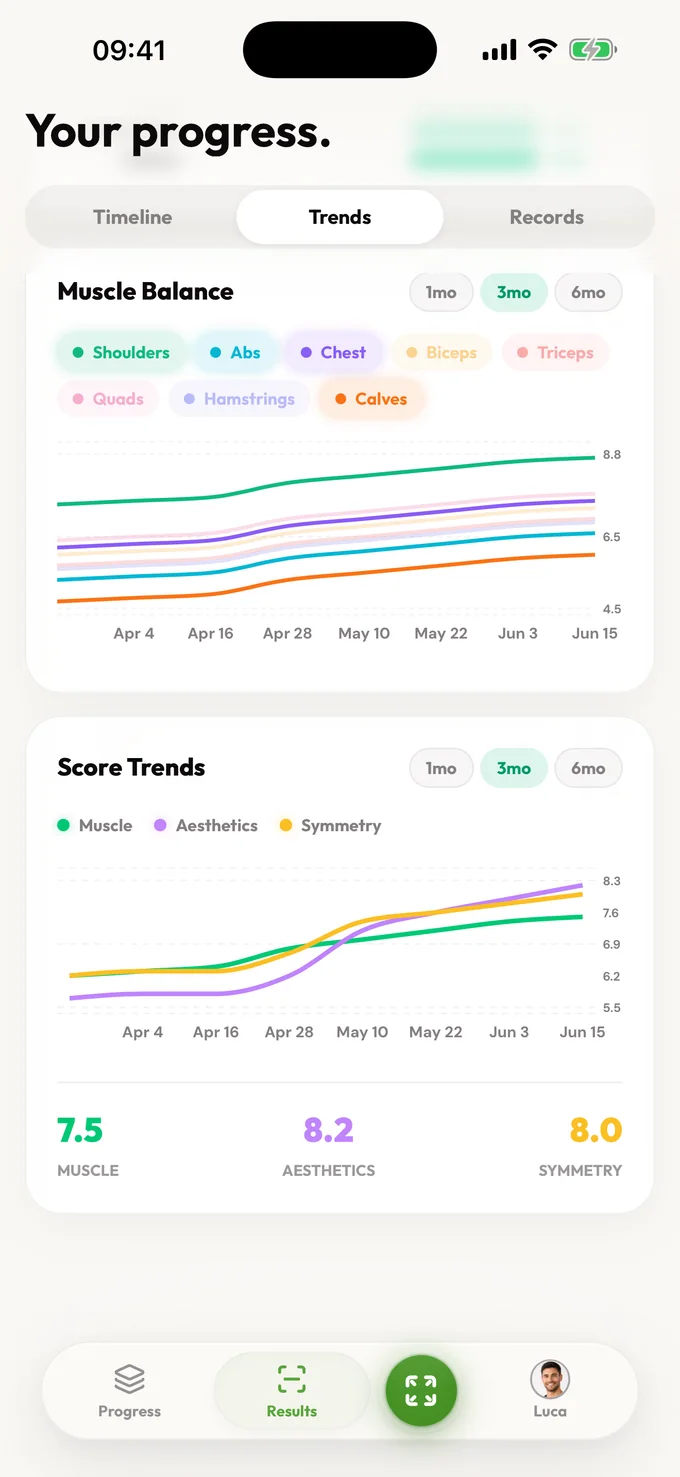
A muscle balance map showing which areas look strongest and which may lag
Symmetry analysis for left-right and upper-lower balance
Focus areas ranked by likely visual and training payoff
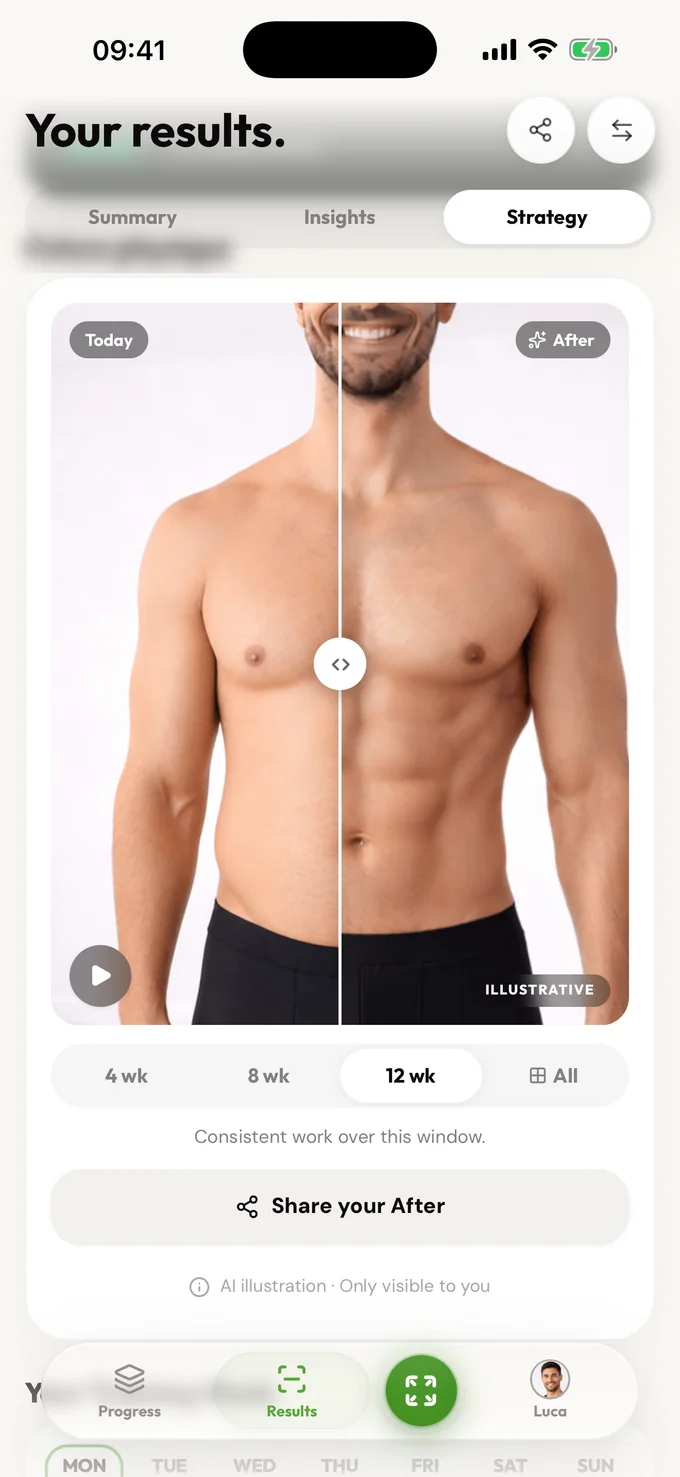
Weekly guidance so each scan leads to a decision, not just a data point
An AI body scanner can give fast physique context from photos, but it should not be treated like a 3D scan or medical device. LeanLens scans visible body fat, balance, symmetry, and focus-area signals, then returns guidance you can use this week.
A body fat range with confidence context, not a fake single number
A muscle balance map showing which areas look strongest and which may lag
Symmetry analysis for left-right and upper-lower balance
Upload a quick photo and get practical physique insights: body fat range, muscle balance, symmetry, and a next step you can use this week.
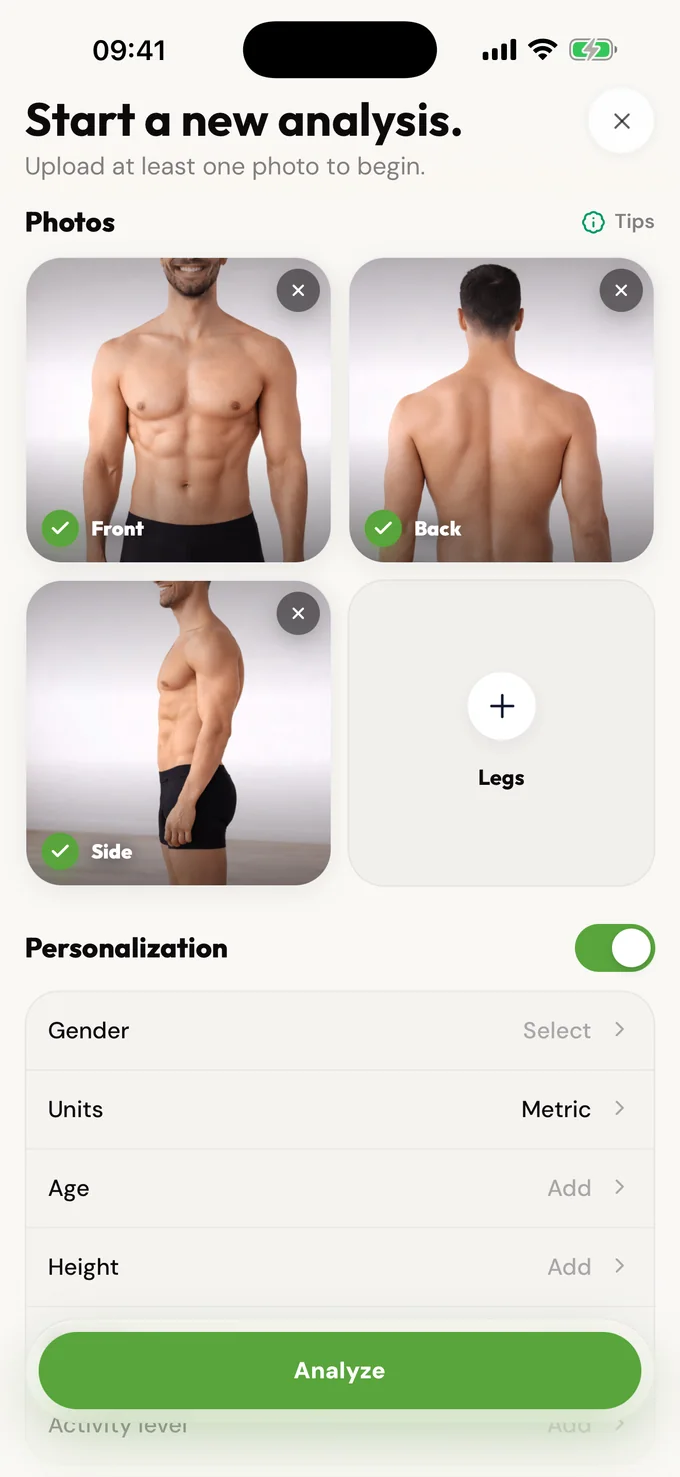
Upload one to four photos: front, side, back, or legs. LeanLens analyzes visual cues such as definition, proportions, fat distribution, and balance. You receive a confidence-aware result when analysis completes. Save the snapshot if you want to compare trends over time.
LeanLens is not a 3D scan or medical imaging tool. It uses AI to analyze photos and estimate visual body-composition signals. For clinical body-composition data, use professional methods like DEXA or BodPod. For weekly trend tracking and practical decision-making, a photo-based scanner is faster, cheaper, and easier to repeat.
Photos are processed to create your analysis. Source uploads, result data, and saved progress photos have different lifecycles and controls. Review the Privacy Policy for current storage and deletion details. No account is required to start.
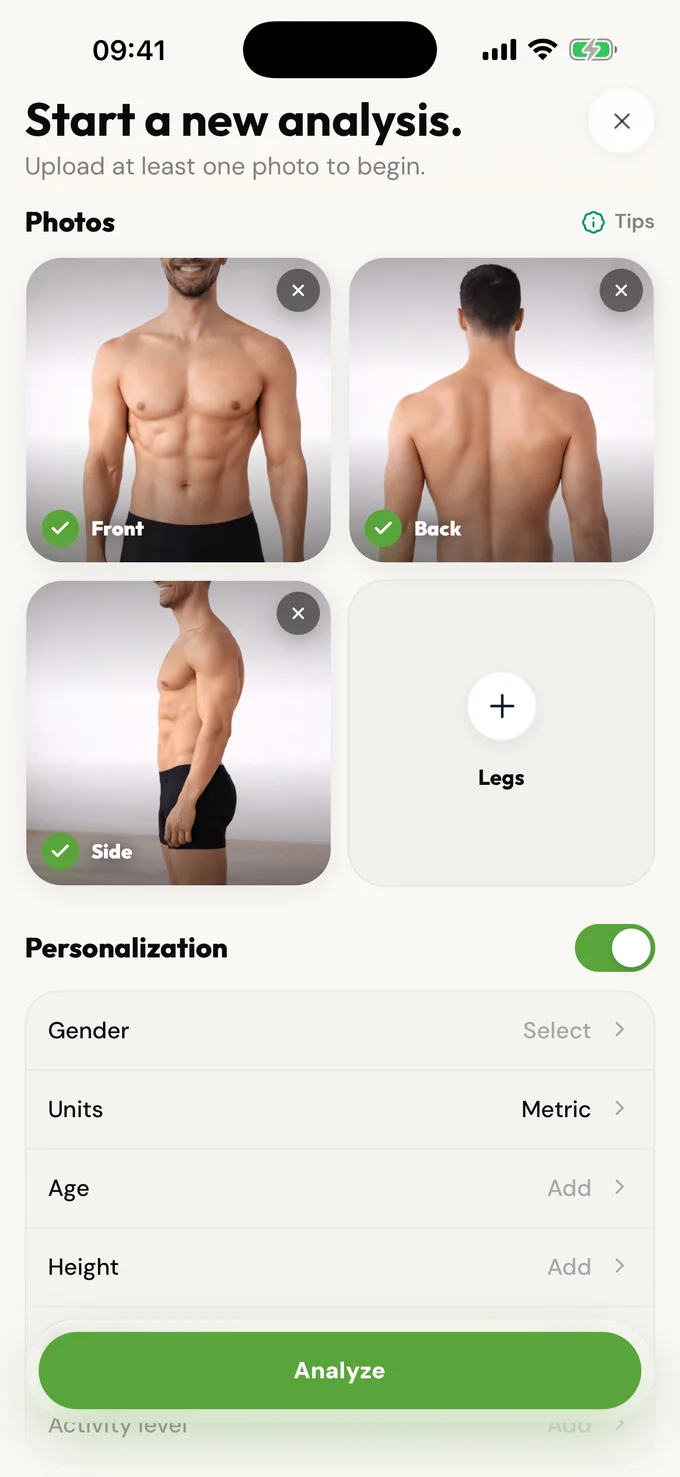
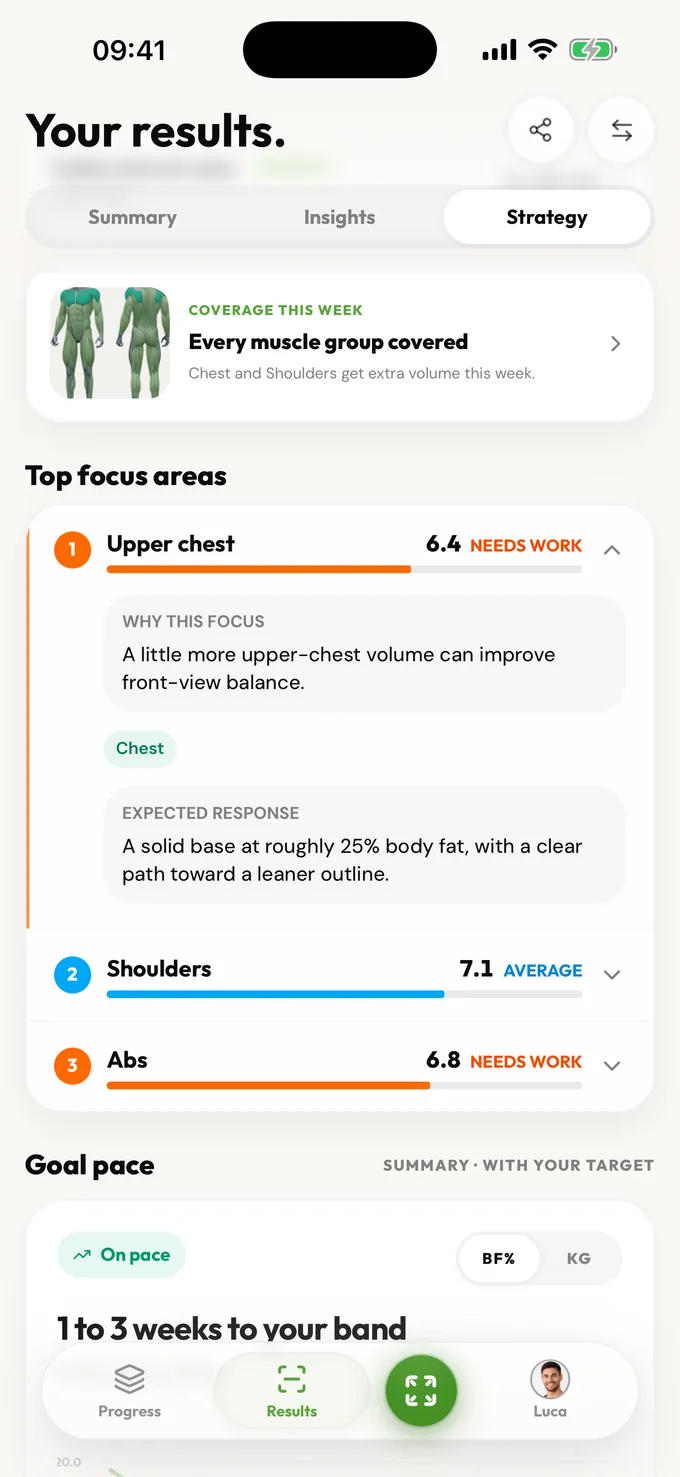
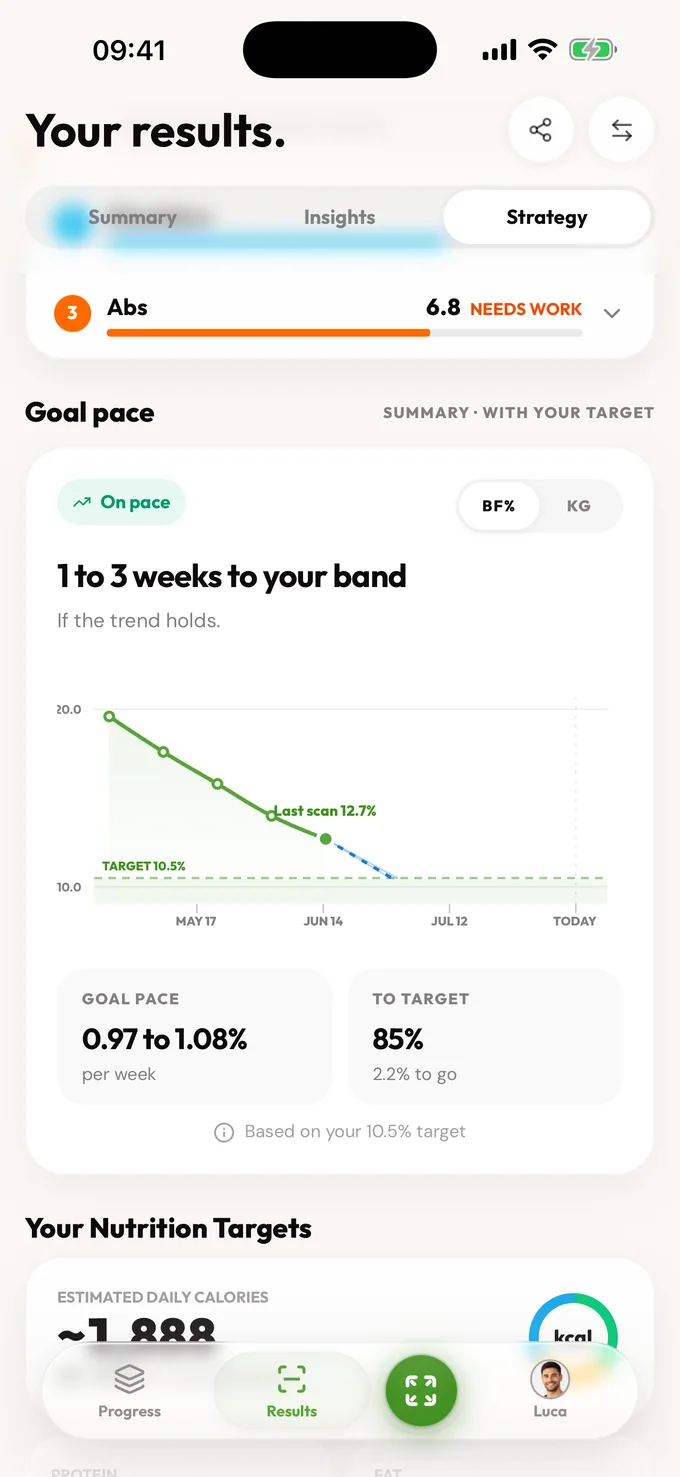
An AI body scanner is the user-friendly entry point for a quick read on your physique photos. LeanLens is built for people who want a practical scan, not a medical claim. It turns photos into body fat context, balance cues, symmetry notes, and a focused next step. The best use is repeated check-ins under similar conditions so trend becomes clearer than any single scan. Use it when you want fast direction and then follow the setup guide to improve consistency. A phone body scanner based on ordinary photographs does not need a rotating platform or depth sensor, but it also cannot substitute for calibrated 3D circumference or body-volume measurements.
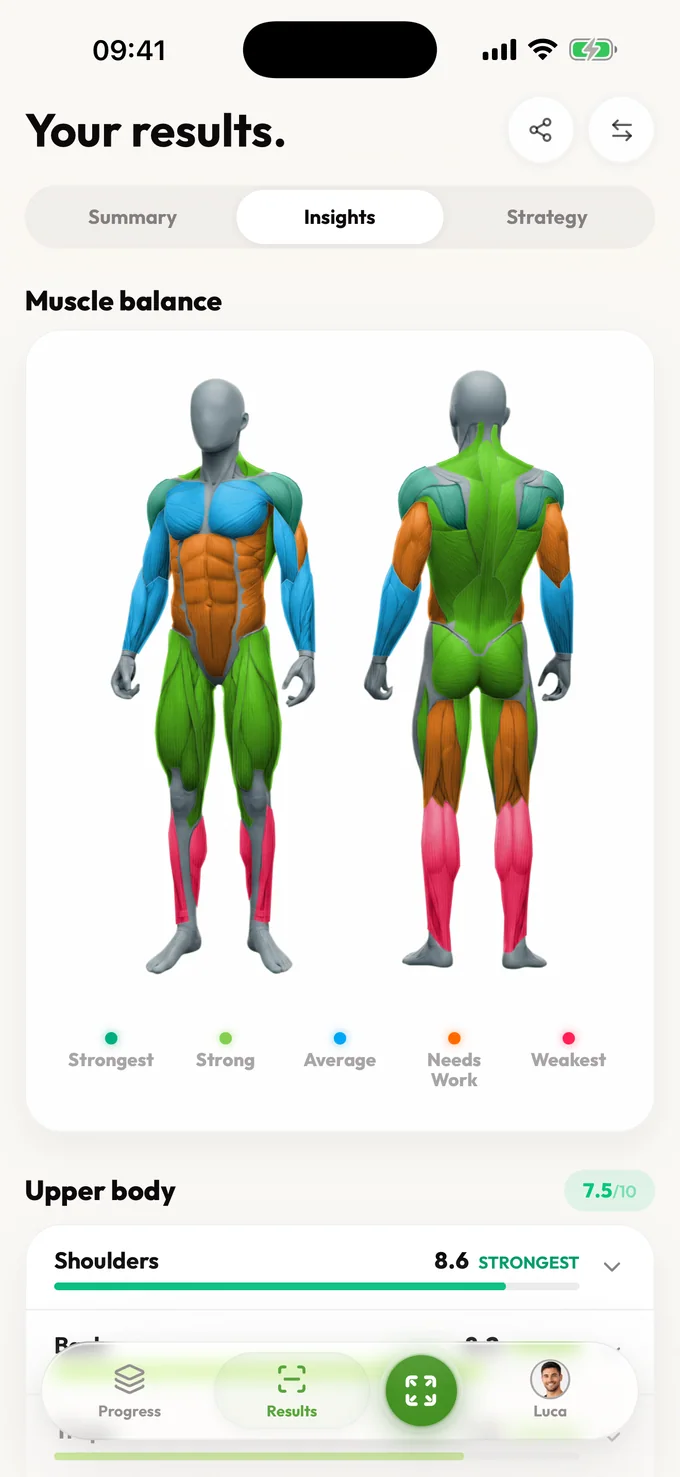
Upload a quick photo and get practical physique insights: body fat range, muscle balance, symmetry, and a next step you can use this week.
A body fat range with confidence context, not a fake single number
A muscle balance map showing which areas look strongest and which may lag
Symmetry analysis for left-right and upper-lower balance
Focus areas ranked by likely visual and training payoff
Upload a quick photo and get practical physique insights: body fat range, muscle balance, symmetry, and a next step you can use this week.
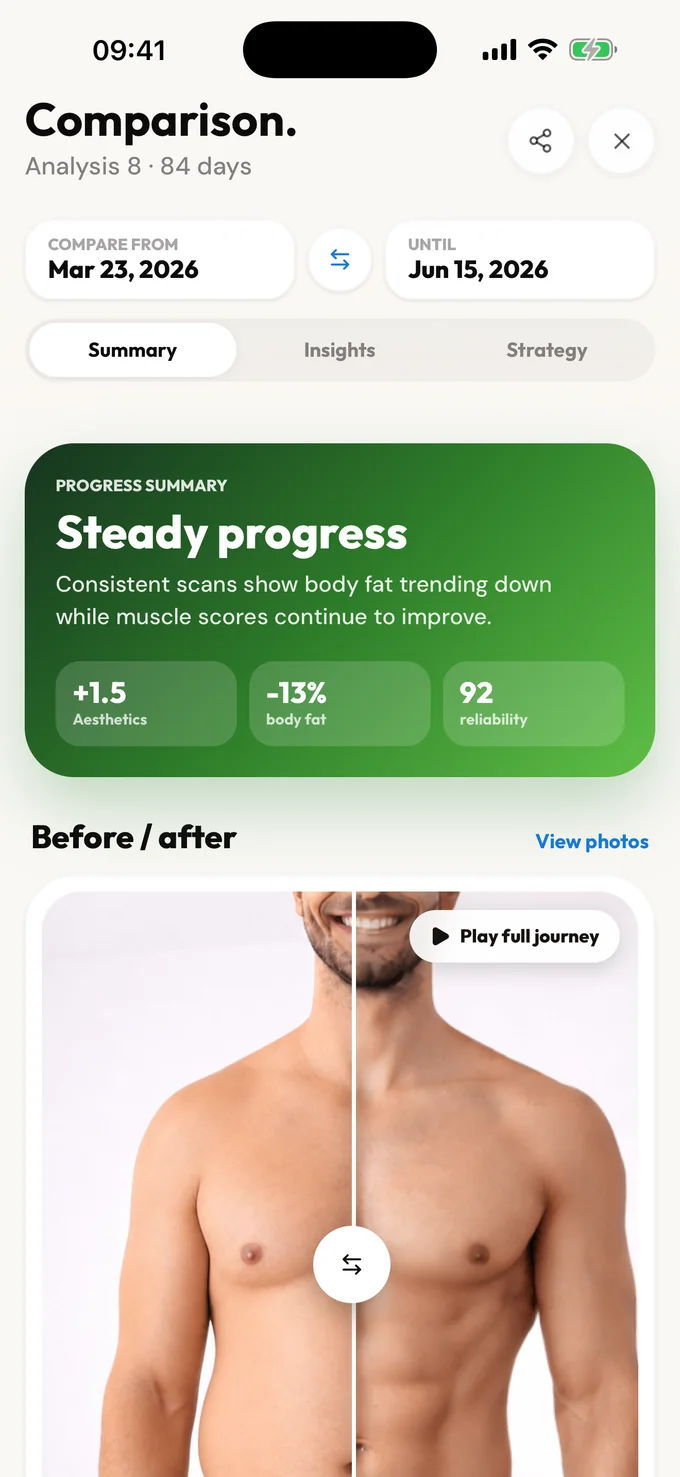
Compare
These workflows produce different outputs. LeanLens offers the photo-analysis path; use a separate provider for calibrated 3D or medical imaging.
| Workflow | Example output | Start here |
|---|---|---|
| Photo analysis | Visible body-fat range, balance and next-step context. | Use the LeanLens web analyzer on this page for a guest check-in. |
| 3D measurement | A body model or circumference estimate from a dedicated capture system. | Choose a 3D measurement provider and check its calibration claims. |
| Medical imaging | Clinical images or composition results under a defined protocol. | Ask a qualified clinician which test answers your medical question. |
Privacy and honesty aren't features we bolted on; they shape how the product works.
One purpose: creating your results. Your photos are shared only with the providers needed to create or store them. Guest scans auto-delete; sign in and you can delete your saved photos and results anytime.
Ranges over false precision. No body-shaming mechanics, ever. Results describe, they don't judge. And nothing about your body is used to pressure you.
Free includes an estimated body-fat range, confidence, summary, visible scores, photo-quality guidance, core detail for every available Muscle Balance result, and a limited focus view. Pro unlocks muscle history, bilateral and training-plan detail, deeper trends, strategy, and comparisons.
Free accounts can scan again after a short wait. Pro removes the wait and unlocks full results, trends, and comparisons.
No. LeanLens is a hardware-free photo body scanner that interprets visible physique cues. It does not create a calibrated 3D mesh, measure body volume, scan internal organs or perform a security scan. Use entered tape measurements when an actual circumference is needed.
Yes. LeanLens has a free starting workflow so you can run a check-in before creating an account.
One clean photo is enough to start. Front, side, and back photos usually make the result more stable.
Scanner is the user-friendly entry point. Analyzer describes the output: body fat range, muscle balance, symmetry, and next steps.
Coming soon to Android
Android is next. Join the waitlist and we'll email you the moment it's ready on Google Play.
Upload a quick photo and get practical physique insights: body fat range, muscle balance, symmetry, and a next step you can use this week.
Scan free every week. Upgrade to Pro for full reports and no waiting.